
Best Image Size for Websites: Pixel and KB Targets
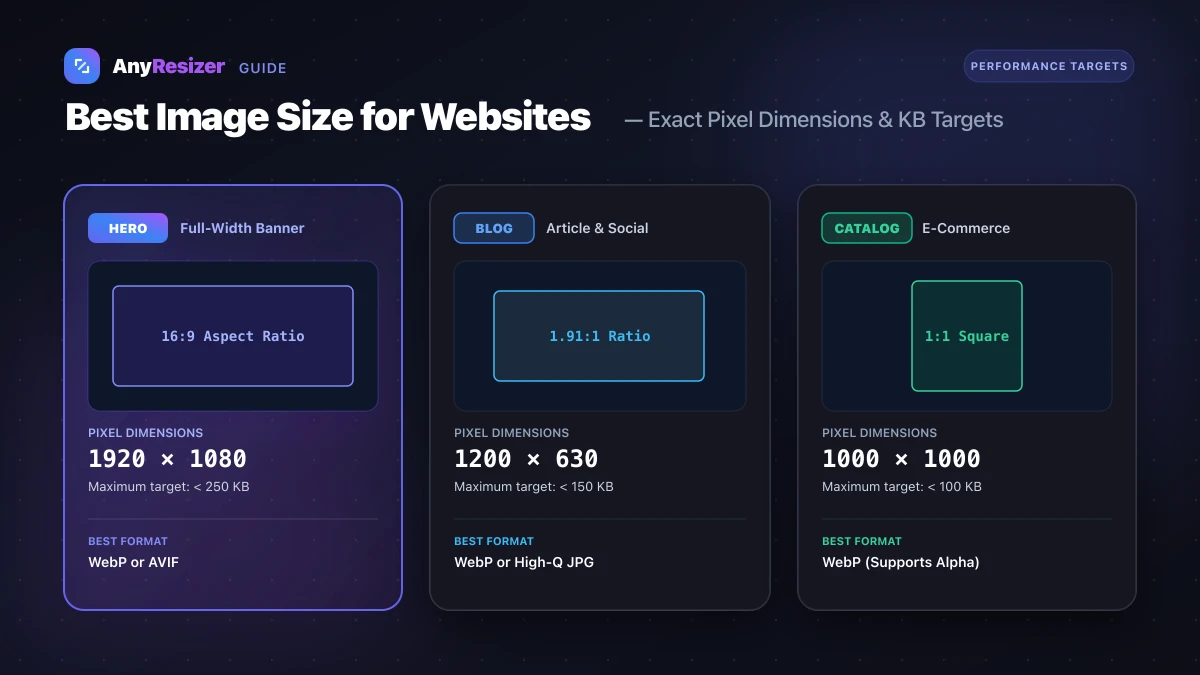
Unoptimized images are the number one cause of slow websites.
Uploading an uncompressed 10 MB smartphone photo directly to your homepage destroys mobile page speed, frustrates visitors, and hurts your Google search rankings.
Optimizing your web assets requires balancing two factors: choosing the correct pixel dimensions and compressing file weight in kilobytes.
Here are the exact pixel and KB targets for every common website component.
Complete Website Image Size Reference Table
Use these targets when preparing graphics for your content management system or web framework:
| Website Element | Recommended Pixels (W × H) | Aspect Ratio | Maximum File Weight | Ideal Format |
|---|---|---|---|---|
| Full-Width Hero Banner | 1920 × 1080 px | 16:9 | Under 250 KB | WebP or AVIF |
| Blog Post Featured Header | 1200 × 630 px | 1.91:1 | Under 150 KB | WebP or JPG |
| E-Commerce Product Photo | 1000 × 1000 px | 1:1 Square | Under 100 KB | WebP or JPG |
| In-Article Screenshot / Graphic | 800 × 500 px | Variable | Under 80 KB | WebP or PNG |
| Brand Logo (Header) | 400 × 120 px max | Wide | Under 40 KB | SVG (Vector) or PNG |
| Author Avatar / Profile Icon | 200 × 200 px | 1:1 Square | Under 25 KB | WebP |
For a complete breakdown of format compression differences, read our benchmark on JPG vs PNG vs WebP and our comparison of AVIF vs WebP.
How Image Size Impacts Core Web Vitals
Google uses Core Web Vitals as an official search ranking metric. The most sensitive metric for media-heavy sites is Largest Contentful Paint (LCP).
LCP measures how long it takes for the largest visual block above the fold—almost always your homepage hero photo—to appear on the visitor's screen.
If your hero photo weighs 3 MB, a phone on an average cellular connection takes several seconds just downloading the image bytes. Keeping that hero under 250 KB ensures your site scores a "Good" rating (under 2.5 seconds).
To learn how cameras generate file weight across different devices, see our guide on how many KB is a photo.
3 Steps to Optimize Any Web Image
Before publishing new graphics to your website, follow these three optimization steps:
Crop and resize to exact canvas pixels
Do not let HTML or CSS downscale a 4000-pixel camera photo. Resize the file directly to your container width (such as 1200 px or 1920 px).
Convert to modern WebP format
Convert your source JPG or PNG to WebP to eliminate redundant image data while keeping clean contours.
Compress to target KB
Tune compression quality between 80% and 85% to reach your target file limit without visible blur.
Be careful never to upscale smaller graphics beyond their original dimensions, or you risk blurry edges. Read why photos get blurry when enlarged to learn more. If you also compile business documents or client guides, explore our guide on how to convert images to PDF.
Frequently asked questions

The AnyResizer editorial team benchmarks image codecs, compression ratios, and web graphic formats using in-browser WASM and Canvas engines.
Related guides
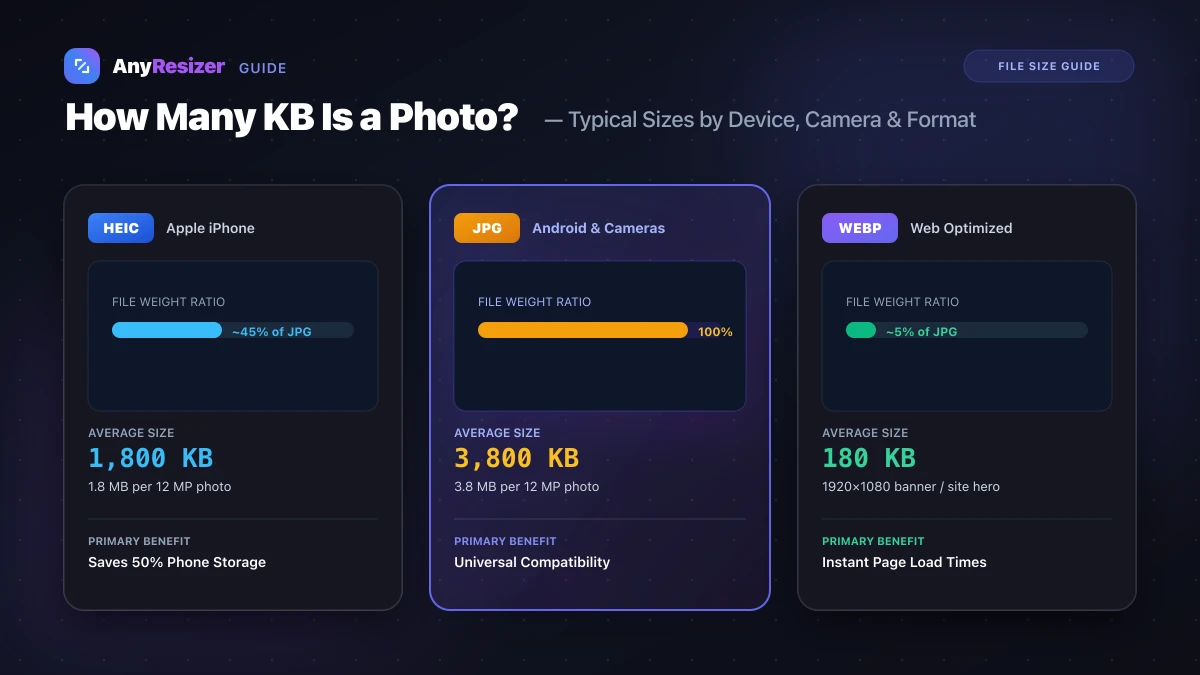
How Many KB Is a Photo? Typical File Sizes by Phone and Format
Learn the average file size of photos in KB and MB across iPhones, Androids, DSLRs, and web formats, with realistic benchmarks and size reduction tips.
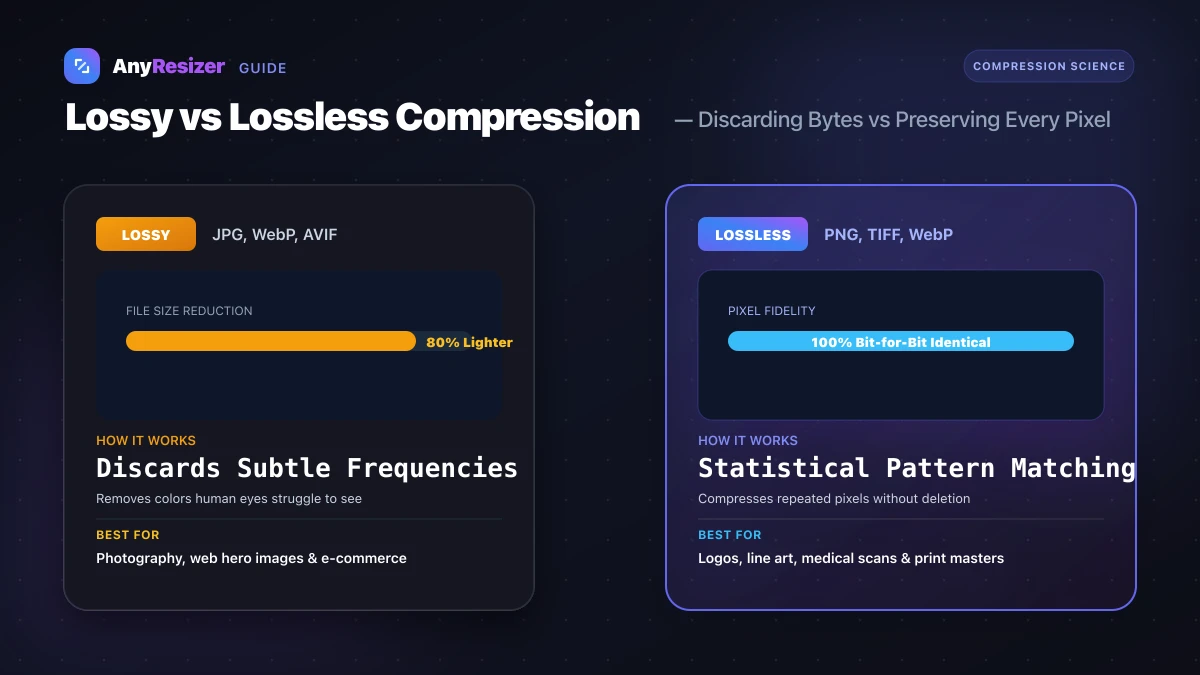
Lossy vs Lossless Compression: What You Lose and When It Matters
Learn the difference between lossy and lossless image compression. See visual artifact tests, compare formats, and pick the best compression method.
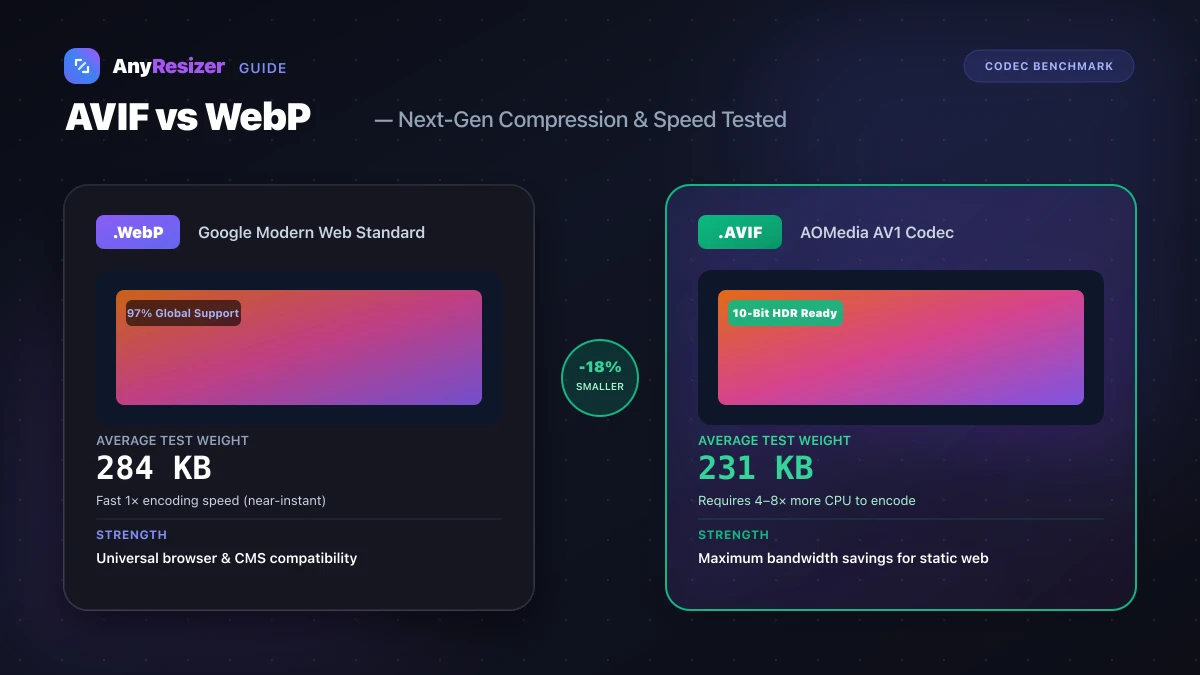
AVIF vs WebP: File Size and Browser Support Tested
Compare AVIF and WebP for image compression, decoding speed, and browser support. See measured file-size test results across 5 photos.